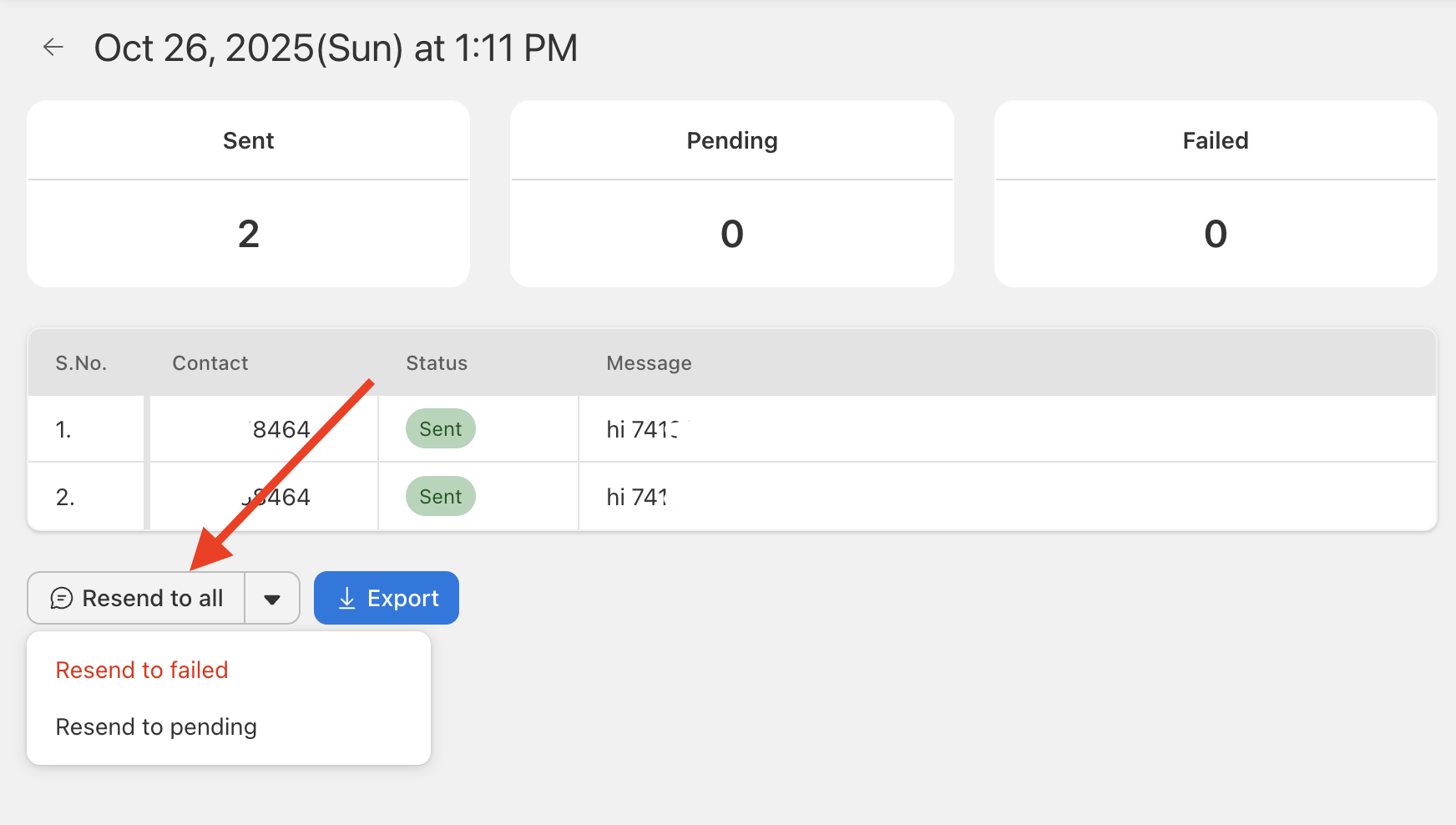
If you need to resend to contacts who didn’t receive or respond:
- Go to Reports in Send Blaster Pro.
- Find the previous report and open its details.
- Will see contacts with statuses like “Failed”, “Sending”, or “Pending”.
- Select those contacts and click Resend or Create New Campaign from Selection.
- Modify the message if needed (e.g., add a reminder), then send/resend.
- The system will treat it like any other campaign but only go to the selected subset, helping you target precisely.